Preview everything
View all your email before it gets to your computer - now you can see what email is waiting for you (including all parts of an email) so you can deal to it effectively.

Software
© 2026 Firetrust Limited. All rights reserved.
Products
MailWasher
Pro
Effective and easy to use Anti-spam.
Hideaway
VPN
World's fastest (Seriously!) and most flexible VPN.
MailWasher
Server
Increase productivity and protect against spam and viruses.
Support
MailWasher
Pro
Effective and easy to use Anti-spam.
Hideaway
VPN
World's fastest (Seriously!) and most flexible VPN.
MailWasher
Server
Increase productivity and protect against spam and viruses.

Works with Yahoo and all your other email addresses to help you block spam for good.

Every time you check your email, spam feels like an uninvited guest stealing your time.
You’re tired of deleting the same garbage every day, second-guessing every link, and wondering when the next scam will hit. It’s not just annoying - it’s draining your energy.
MailWasher sweeps away that frustration, giving you the joy of an inbox that’s clean and safe.
Feel the freedom of an inbox where every message is safe and relevant, giving you back your
time and peace in your Yahoo inbox.

The first line of defence is Yahoo's own spam controls. Mark genuine junk as spam and block persistent senders.
If that fixes the problem, stop there.
If the sender changes on every message, blocking individual addresses becomes an endless task. Look for a repeating subject, domain, link or wording pattern instead.
MailWasher Pro can screen supported Yahoo accounts from Windows and apply its own custom filters and learning before you download the mail into your normal client.
The goal is not to duplicate every Yahoo rule. Use MailWasher for the problems that require a more visible or personalised screening workflow.
No. It applies to the address you blocked.
Use domain-level rules cautiously. Shared email services may contain legitimate senders.
Do not use links in the message to sign in. Open Yahoo directly and check the account from there.
With MailWasher Pro, it's powerful, but easy enough for anyone to use to relieve them of
unwanted spam and scams.
MailWasher Pro uses a simple, automatic way to block spam, phishing, and malicious emails before they ever reach
your inbox. Unlike traditional cybersecurity software that reacts after the damage is done, MailWasher Pro
stops threats before they even reach your PC.

The advantage of being able to check emails on the server before they get to your PC is you
can view all aspects of an email such as who it's really from, hidden links, attachments and
many other things about the email.
This helps you to make an informed choice about an email so you don't accidentally click on it,
or allow it on to your PC.

MailWasher is quick to setup and you can see all your emails in one place, whether is Gmail,
Outlook.com, Yahoo, AOL or any other email account. You can check unlimited emails accounts
with MailWasher Pro.
While MailWasher Spam Tools help you identify spam and good emails quickly, you can also quickly
train MailWasher to help it identify good and spam emails and then it will do all the work for
you.


Check out the easy way to get rid of spam and viruses. Save time by only getting the email you want!
Advanced spam detection technology and tools do all the hard work for you by automatically marking spam emails. From simple friend’s lists, blacklists and learning filters to advanced custom filters, MailWasher has you covered.
When you add people to the Friends List, you can be sure they’ll always get through.
Anyone on your blacklist will get marked for delete. You can customize it to catch all sorts of email address variations
Volunteer to report spam to your ISP or companies like SpamCop.
Create your own filters to catch spam, or label good mail. A huge range of options to filter emails how you want.
Use public blacklists to catch even more spam and make it easy for you to avoid spam.
Train MailWasher so it recognizes good email from spam email.
Catch spam and emails which use profanity.
When all the spam tools are used together they give a spam rating and mark the email as spam or good.
Most sites will tell you that they offer fast and real support but unfortunately their
promises fall short of this goal.
How do we offer the best customer support? Because we have full-time staff whose jobs are purely
to help you get the best from MailWasher Pro.
Under normal circumstances, we answer all email from registered users within 24 hours, every
single day of the week including public holidays!
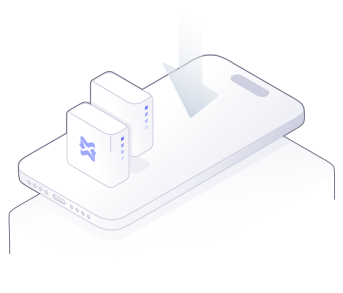
There’s nothing worse than spam coming to your mobile device, so take control with MailWasher
and banish that spam while on the go.
It’s dead easy to use and very fast. Download the version for your Android phone/tablet, iPhone,
iPad and sync your email accounts, friend’s lists and blacklists from MailWasher Pro to your mobile
device.
Rid your life of spam and unwanted email now.
Always 10% OFF — automatically applied at checkout
$49.95 USD
$77.21 USD
$99.90 USD
$149.95 USD
10% discount is applied automatically at checkout. No coupon code needed.
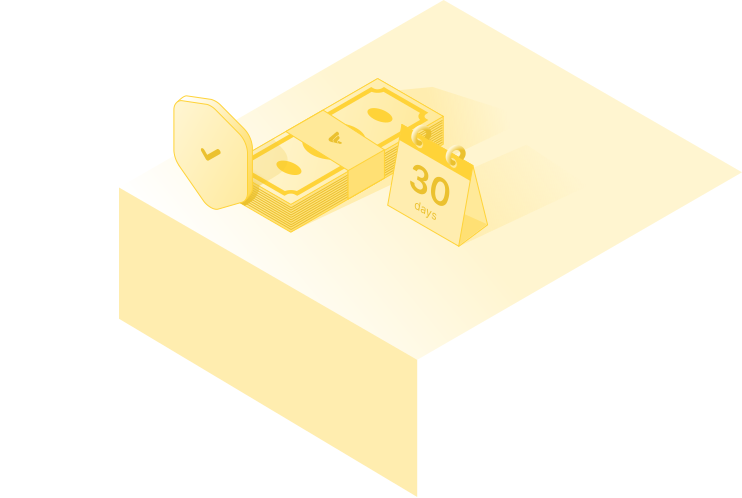
If at any stage within 30 days of your purchase you don't want to keep product name, just email as at support@firetrust.com and ask for a refund.
1. What is MailWasher Pro?
MailWasher Pro is a spam-filtering program that lets you preview and delete unwanted emails before they reach your inbox, so junk never touches your computer.
2. How is MailWasher different from spam filters built into email providers?
Most email providers filter after messages arrive. MailWasher works before download, giving you full control over what gets through. Ultimately you decide what gets through and this avoids good emails going into the spam folder.
3. Does MailWasher delete emails permanently?
Only if you choose to. You can preview messages safely before deleting them and restore them from the recycle bin if needed.
4. Is MailWasher safe to use?
Yes. MailWasher has been trusted by millions of users for over 25 years and never reads or stores your email contents.
5. Who is MailWasher best for?
Anyone who:
- Gets too much spam
- Wants control over email filtering
- Uses Outlook, Gmail, Yahoo, or any other email provider including custom email
- Values privacy and simplicity
6. Does MailWasher work with Gmail?
Yes - MailWasher works with Gmail, including Gmail hosted on custom domains.
7. Does it work with Outlook?
Yes, including Outlook, Outlook.com, and Microsoft 365 accounts.
8. Can I use it with multiple email accounts?
Yes - you can manage multiple email accounts in one place.
9. Does it work with IMAP and POP3?
Yes. MailWasher supports both.
10. Will it interfere with my email app?
No. It works before your email client checks mail.
11. How does MailWasher detect spam?
It uses:
- Blacklists
- Custom rules
- Keyword filters
- Bayesian learning
- Real-time blackhole lists
- Friends list (whitelist)
12. Does it block phishing emails?
Yes - phishing attempts are flagged and can be auto-deleted.
13. Can I block entire domains?
Yes. You can block domains, senders, or patterns.
14. Can I stop emails with attachments?
Yes - you can filter or block emails with attachments if you want.
15. Will it stop scam emails?
Yes. MailWasher is very effective at stopping scam and fraud emails before you open them, and allows you to view all the information inside an email like headers, and where the website links actually point to.
16. Is MailWasher easy to set up?
Yes - most users are up and running in under 5 minutes.
17. Do I need technical knowledge?
No. It’s designed for everyday users.
18. Does it run automatically?
Yes. You can set it to start with Windows and check mail automatically on a schedule.
19. Can I undo a mistake?
Yes. You always preview emails before deleting them and rescue emails from the recycle bin.
20. Is there a learning curve?
Very small - most users understand it within minutes.
26. Does MailWasher read my emails?
Only to work with the internal filters in MailWasher. No content leaves your computer.
27. Does it store my data?
Only on your computer. No email content is stored on our servers.
28. Is my email password safe?
Yes - credentials are encrypted and stored locally.
29. Does MailWasher sell my data?
No. Never.
30. Is MailWasher ad-free?
Yes. No ads, no tracking, no data selling.
31. Is MailWasher free?
There is a free version, and a paid Pro version with advanced features.
32. What does Pro include?
- Unlimited email accounts
- Recycle Bin
- Advanced spam filtering
- Support
- Custom rules
- Automatic filtering
33. Is it a one-time purchase?
There is a lifetime version available for extra cost, or an annual subscription.
34. Can I install it on multiple computers?
Yes, you can install it on up to 3 computers.
35. Is there a refund policy?
Yes - MailWasher offers a 30 day money-back guarantee.
36. Can I create custom rules?
Yes - you can filter by many different properites, such as sender, subject, keywords, or patterns.
37. Can I whitelist trusted senders?
Yes - once added, they’ll never be blocked.
38. Does it learn over time?
Yes - its Bayesian filter improves accuracy as you use it.
39. Can I block newsletters easily?
Yes - you can add them to the blacklist and auto-delete them.
40. Can I block emails before they download images?
Yes - that’s one of MailWasher’s key benefits.
41. How long has MailWasher been around?
Over 25 years - it’s one of the longest-running spam blockers.
42. Is support available?
Yes - email and phone support and detailed help docs are included.
43. Is MailWasher still actively maintained?
Yes - regularly updated and improved.
44. Does it work with corporate email?
Yes, as long as POP or IMAP access is allowed.
45. Can it help reduce inbox stress?
Absolutely - that’s one of the biggest benefits users report.
What languages has MailWasher been translated to?
English, German, French, Spanish, Polish, Dutch, Hungarian, Bulgarian, Ukranian,
Swedish, Russian, Czech, Norwegian, Armenian, Croatian, Danish, Japanese, Portuguese,
Italian, Chinese (Traditional and Simplified) and Pirate! Help translate MailWasher.
Where can I learn more about MailWasher?
Take a look at the Quick Start Guide We’ve compiled a list of 24 Quick Tips and Tricks, plus Advanced Features if you want to know more about custom filters and translating MailWasher.
Have a specific question not asked here?
Check out the Support Page, or send our friendly support team an email
with your question.
The Pro version of MailWasher helps block spam before it gets to your inbox. Over 10 million people
use MailWasher as their spam blocker to stop spam - get your 30 day free trial.
Stop spam,
unwanted email and other junk with the award winning MailWasher.

MailWasher Server stops spam while offering a polished, well-integrated web
interface & built-in quarantine management facilities.
It is simple for administrators to set up and manage and easy for users to use on a day-to-day basis. Supports all Windows and Linux mail servers and operating systems.

HideAway reinvents and improves the VPN by adding flexible rules, faster speeds and an ‘Always on’ capability, while at the same time giving users a secure connection, privacy and simultaneous access to your favorite sites around the world.