Connect to different locations simultaneously
Connect different websites and apps to different locations simultaneously.

Software
© 2026 Firetrust Limited. All rights reserved.
Products
MailWasher
Pro
Effective and easy to use Anti-spam.
Hideaway
VPN
World's fastest (Seriously!) and most flexible VPN.
MailWasher
Server
Increase productivity and protect against spam and viruses.
Support
MailWasher
Pro
Effective and easy to use Anti-spam.
Hideaway
VPN
World's fastest (Seriously!) and most flexible VPN.
MailWasher
Server
Increase productivity and protect against spam and viruses.
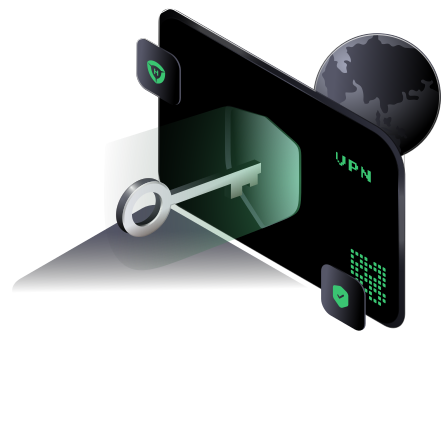

Customize HideAway VPN to route every app, site, or IP to different locations
This feature, unique to HideAway is like having multiple VPN's on your PC and you won't find
it on any other VPN. For example, your could have all your computer redirect to Los Angeles,
USA. Except for Facebook and Gmail which are not directed anywhere, and the Chrome web
browser goes via Australia. You can customize this as you wish.
You can see the limits of the other VPNs from this article at lifehacker on split tunneling

No more switching VPNs or servers - route every app and site where you want it, all at once.
In this example, all your computer's internet traffic goes to USA (Florida), except Microsoft
Edge web browser goes to India, Google Chrome goes to Switzerland, ipinfo.io goes to UK (London).
Google adwords are blocked, while Mybank.com and Gmail.com are excluded from the VPN.
You can find more information in the HideAway VPN help about setting up custom rules and split tunneling.

Most split-tunneling VPNs answer one basic question: should this traffic use the VPN, or should it bypass the VPN?
That is useful, but it is only one way to route traffic.
HideAway uses a rules-based model. You can redirect, exclude or block traffic based on the website/domain, application process, port or IP address, and you can run several rules at the same time.
That means your setup can be much more specific than “Chrome uses the VPN, Outlook does not”.
Split tunneling divides your internet traffic so different traffic can take different paths.
A typical split-tunnel setup might look like this:
| Traffic | Route |
|---|---|
| Browser | VPN |
| Direct connection | |
| Everything else | VPN |
HideAway can take the same idea further:
| Traffic | Route |
|---|---|
| Whole computer | USA |
chrome.exe |
Germany |
bbc.co.uk |
United Kingdom |
gmail.com |
Direct / Exclude |
| Specific IP | Denmark |
| Unwanted domain | Block |
All of those rules can exist together.
A standard VPN connection gives your computer one VPN exit location. Rules let a specific application or site use another location without forcing you to reconnect the entire VPN.
Some banks, email services and local sites dislike VPN IP addresses. You can exclude those while leaving other traffic redirected.
Local printers and devices may need direct local-network access. HideAway already ignores some local traffic so it does not interfere with ordinary local devices, and custom exclusions provide additional control where needed.
A HideAway custom rule can also block matching traffic instead of redirecting or excluding it.
Rules are not random. HideAway evaluates them by precedence.
The order of precedence is the order in which they are checked with rules at the top of the list taking precedence over rules at the bottom. Normally you would have 'My Computer' at the bottom so everything is redirected to a different location, while rules above it are for specific cases.
That is what makes configurations such as this possible:
whatismyipaddress.com → DenmarkEven when the website is opened inside Chrome, the more specific website rule can take priority.
This distinction is important.
Basic split tunnel:
HideAway rule routing:
If your only need is “exclude one app from the VPN”, ordinary split tunneling is sufficient. HideAway becomes more interesting when you want different rules and destinations operating simultaneously. This allows you to make rules as you need them without having to turn HideAway VPN off to get around some blocks or other issues.
Yes. HideAway supports website/domain rules as well as application rules.
Yes. You can create separate redirect rules for different applications and assign them different locations.
Yes. An Exclude rule can keep a matching domain or application on the normal connection.
HideAway custom rules support IP/CIDR addresses and port matching as part of its advanced rule system.
It can reduce unnecessary VPN routing by sending only the traffic that needs the VPN through it. Actual performance depends on your connection, server location and the traffic involved.
When we use the internet, a lot of what we do is unencrypted so it’s easy to spy on what we do
online at work, home or in public. HideAway masks your IP address with our anonymous IP
addresses and encrypts your internet traffic, so your ISP, Government and hackers will have no
idea what you’re doing or what websites you're visiting. The added benefit is that websites
and internet services can no longer track you.
Furthermore,
No logging: We didn’t build any logging capability in to HideAway, so we
can't even turn logging on. So we can’t be compelled to hand over any information as we have
nothing since the logging capability doesn't exist!
No data limits: When you connect via our high speed servers, you can use as
much data as you like - there are no limits, even with torrents.
Torrent friendly: Download torrents as much as you like. There's no limit and
it's really fast!
No DNS leaks: Automatically secured against IPv4 and IPv6 DNS leaks.
Kill Switch: If you lose your internet connection, HideAway will cut the
connection so that your real IP address and information is not leaked.

HideAway absolutely blitzes other well known VPNs in speed comparisons.
Use HideAway to view local content and prices while away from home, or in other countries.
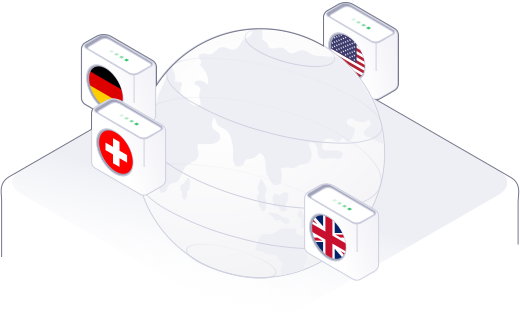
Simply turn on ready made rules to access common sites like Youtube, Facebook, Netflix, BBC iPlayer and many other websites featuring movies, TV, sports, games and music, or add your own!
HideAway is the only VPN with flexibility! Tunnel your internet for any applications or websites to different countries simultaneously. For example, you could make Google connect via Germany, Youtube via USA or United Kingdom, then make some of your applications run through another country all without having to switch each time.
The encryption used by HideAway encrypts your internet traffic in nanoseconds and doesn't affect your internet speed.
The encryption used by HideAway is called AEAD and simultaneously provide confidentiality, integrity, and authenticity.
Use public WiFi with confidence knowing your internet connection is safely encrypted and protected.
Under normal circumstances, we answer all email from registered users within 24 hours, every single day of the week including public holidays!
If at any stage within 30 days of your purchase you don't want to keep product name, just email as at support@firetrust.com and ask for a refund.

The Pro version of MailWasher helps block spam before it gets to your inbox. Over 10 million people
use MailWasher as their spam blocker to stop spam - get your 30 day free trial.
Stop spam,
unwanted email and other junk with the award winning MailWasher.

MailWasher Server stops spam while offering a polished, well-integrated web
interface & built-in quarantine management facilities.
It is simple for administrators to set up and manage and easy for users to use on a day-to-day basis. Supports all Windows and Linux mail servers and operating systems.
HideAway reinvents and improves the VPN by adding flexible rules, faster speeds and an ‘Always on’ capability, while at the same time giving users a secure connection, privacy and simultaneous access to your favorite sites around the world.